
Try it in Mement
- Start a Session from a Task, container or Habit.
- Choose Timer with a 15, 25 or 45-minute preset, or 5–180 custom minutes; choose Stopwatch to count up.
- Pause interruptions and return through Home, a supported widget or Live Activity. Choose the ending deliberately.
One current Session
Starting another item requires a replacement decision. Paused time is excluded. Countdown offers +5; at zero it waits up to 15 minutes for an outcome. Both modes have an eight-hour lifetime including pauses. There are no automatic break cycles.
Visibility is device-dependent
Live Activities and Dynamic Island need supported devices and enabled system settings. iCloud synchronization is eventual; it does not create a Live Activity everywhere. Stop Session does not complete an item. Duration Habit minutes can prefill a log, but recording Habit progress still requires confirmation.
How it works in Mement
Time work with a Session and choose how to finish
Choose a timer or a stopwatch
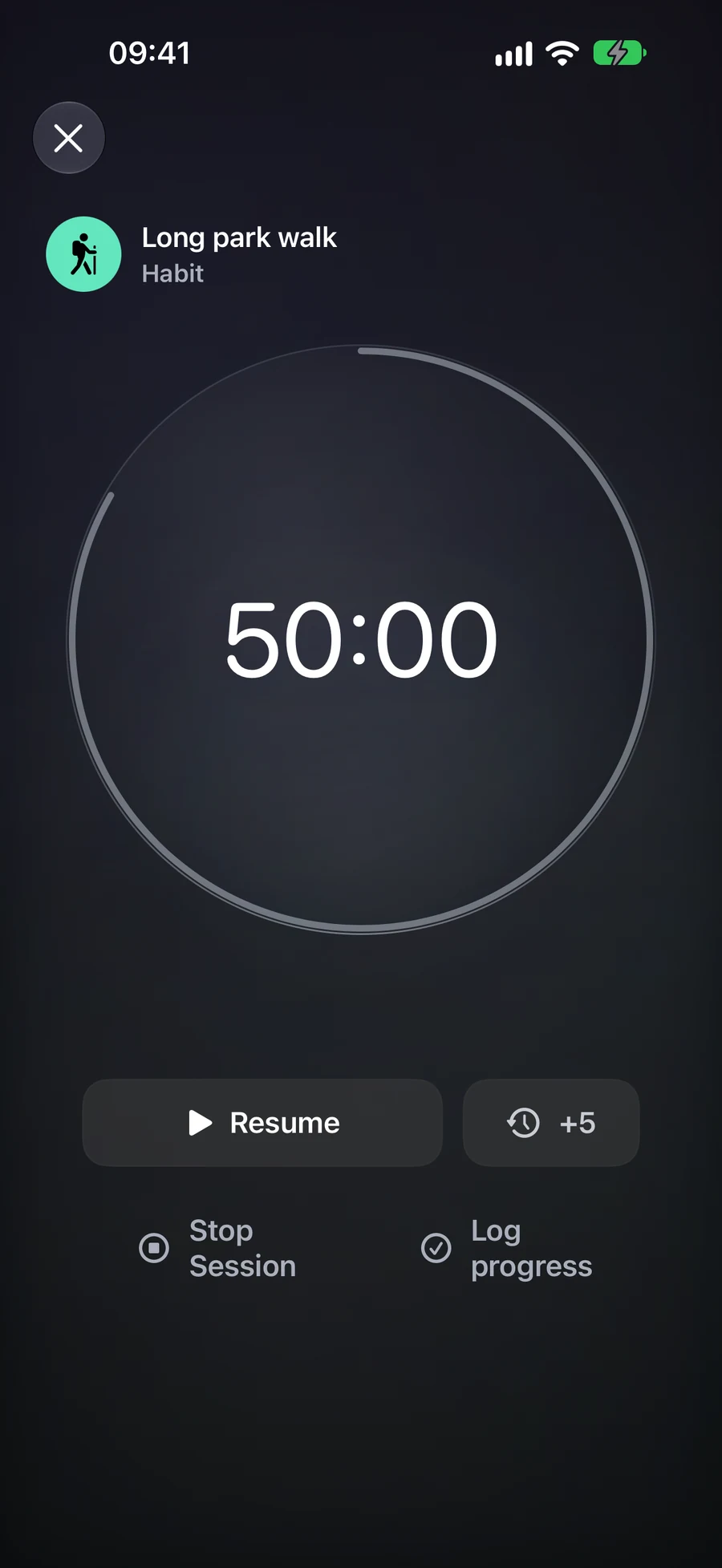
For a 25-minute writing interval, open the Task and choose Timer with the 25-minute preset. Other presets are 15 and 45 minutes; a custom countdown can be 5 to 180 minutes. Start, pause for an interruption and resume. Paused time does not count toward active time.
At zero, the timer stops accumulating active time and waits for your decision. You can add five minutes, stop the Session or complete its Task. Adding time while paused keeps it paused; adding time after zero resumes the countdown. An unanswered countdown closes after its 15-minute completion window.
Stopwatch starts at zero and suits work whose duration you want to measure as you go. For a Duration Habit with a limit, it is the default mode: you can see elapsed practice or consumption without treating the target as an automatic success. It has no add-time or countdown-zero step. Both modes have an eight-hour lifetime from the original start, including pauses.
Choose what the ending should record
Stop Session records the end of the interval and leaves the item unfinished. For a Task, Complete Item uses the Task’s ordinary completion rules and ends the Session. Reaching zero alone does not complete the Task. A List, Project or Area Session offers Stop Session, which leaves the container and its contents unchanged.
For example, you may spend 25 minutes on a Project containing several Tasks, then stop without declaring the Project finished. You can complete an individual Task through its normal screen when it is actually done. A Session helps record the interval; it does not decide which commitments you fulfilled.
A Habit Session offers its own progress action. A check-in Habit records the practice. A Duration Habit opens Log progress with active minutes suggested for confirmation. Count and Quantity need values in their own units; time is not converted into pages or repetitions. With a checklist, finish the actions first. Cancelling the checklist or numeric log leaves the Session available to retry; Stop Session records no Habit progress.
Return to the same Session
One Session can be current for your iCloud account. If you start from another item, Mement asks what to do with the existing Session before starting the new one. Home, the full timer, widgets and supported Live Activities show that Session, so opening it again does not create another timer.
With iCloud available, another device can open, pause, resume or stop the same Session after changes arrive. The local timer remains usable offline and synchronizes later. A Live Activity is created on its device: syncing Session state does not automatically create a new Live Activity on every other device.
Analytics reports active time, completed Sessions, item outcomes and average duration. Sessions shorter than one active minute stay out of the metrics. A stopwatch contributes time but has no planned-duration success rate. Session minutes do not directly add points to Productivity Score; completing a Task still affects ordinary Task statistics.
Choose widgets for the way you use Mement
Match the widget to the question you want answered
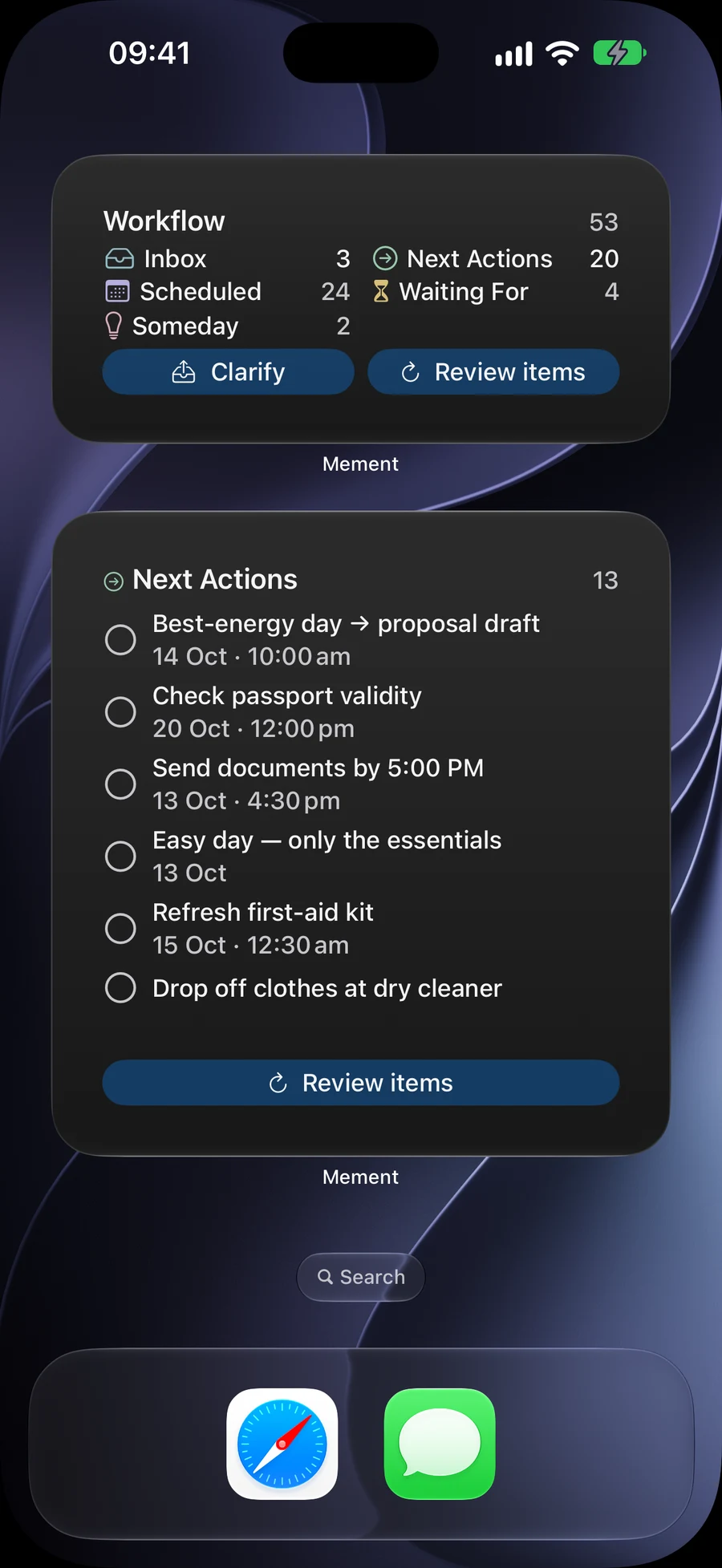
Today Tasks is useful when you want to check current work. Focus List keeps a selected List nearby, while Next Reminder shows the next reminder. For a morning routine, try a Habits widget; for a GTD review, choose the Workflow overview, item, or status widget that fits the information you need.
Daily Summary combines Task results with a completion streak and active Session time in its larger presentation. It answers a different question from a Task list: how the day is going, rather than which record to open next. Available details depend on the widget’s size.
For example, keep a shopping List in Focus List and today’s work in Today Tasks. You can reach each without changing the other widget. The available sizes depend on the device and system. Extra-large portrait versions of Today Tasks, Focus List, and Habits need the supporting Apple 27-generation system.
Use the actions that belong to each widget
Task-row completion buttons can mark eligible Tasks done from the widget. Habit widgets can record eligible progress; a Habit with a checklist needs its checklist and final tracking flow in Mement. Opening a record gives you its full details when you need to change more than the widget exposes.
The Session widget shows the current timer. In interactive sizes, pause and resume can run directly. Starting needs a chosen record, so an empty Session widget opens Mement. Ending the timer or completing its linked outcome opens the full Session flow. This Session behavior does not remove the completion buttons in ordinary Task widgets.
Explain a missing record before changing the widget
A widget can show a narrower selection than the authenticated app. Its chosen List or GTD status, the active Mement Space, and rules for protected records affect what appears. A lower count can therefore reflect the widget’s selection rather than missing data.
Apple’s Focus Filter can select the List used by Focus List. A Mement Space controls the app’s own context. Set each deliberately: selecting a List in the system filter does not activate a Mement Space. If a record is absent, first open it in Mement and inspect these choices.
Follow the same Session outside the app
Live Activities show a running Session on supported system surfaces, including the Lock Screen and Dynamic Island on compatible hardware. You can check time and use the available pause or resume control without leaving your current task.
The Session itself synchronizes through iCloud. A Live Activity is displayed locally on a device. On another device, opening or controlling the synchronized Session can create that device’s presentation; iCloud delivery alone does not start it automatically. System mirroring to a paired device follows Apple’s behavior.
If the display is stale, open the Session in Mement and compare the saved state. Allow time for the system to refresh the widget; remove and add it again only if the source is correct and it still fails to update. Protected titles may use a private label.
A plan to adapt
Fictional example. Copying or downloading this text does not create records in Mement.