
Explore your plans in Big View
Big View shows your tasks, lists, projects and areas as spheres. See how they fit together, then open a sphere to see its details.
View on the App Store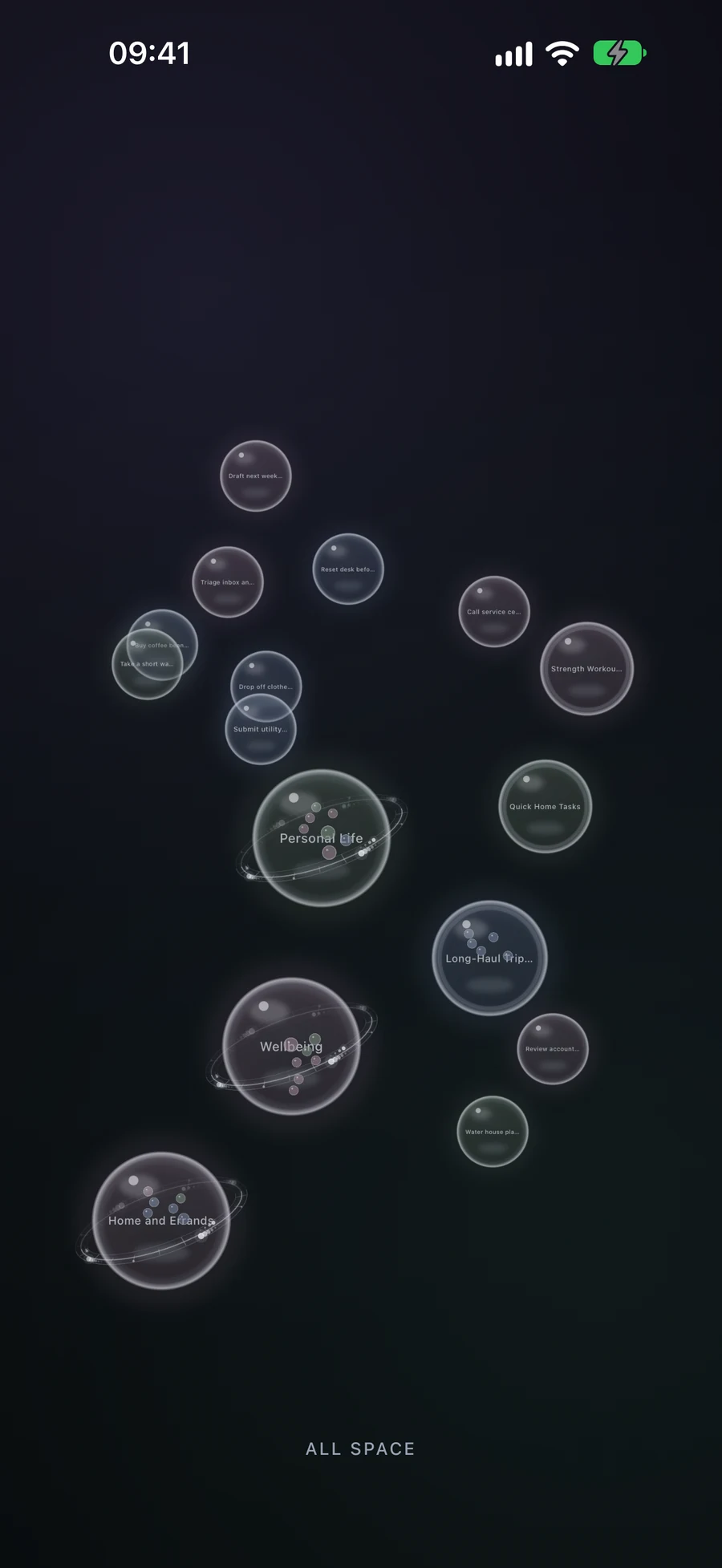
Browse your plans as spheres
See your areas, projects, lists and tasks together. Open a sphere to see what it holds, then move back up for a wider view. Progress arcs on lists and projects show how much is complete.
Understand tasks, lists, projects and areasChoose next actions with GTD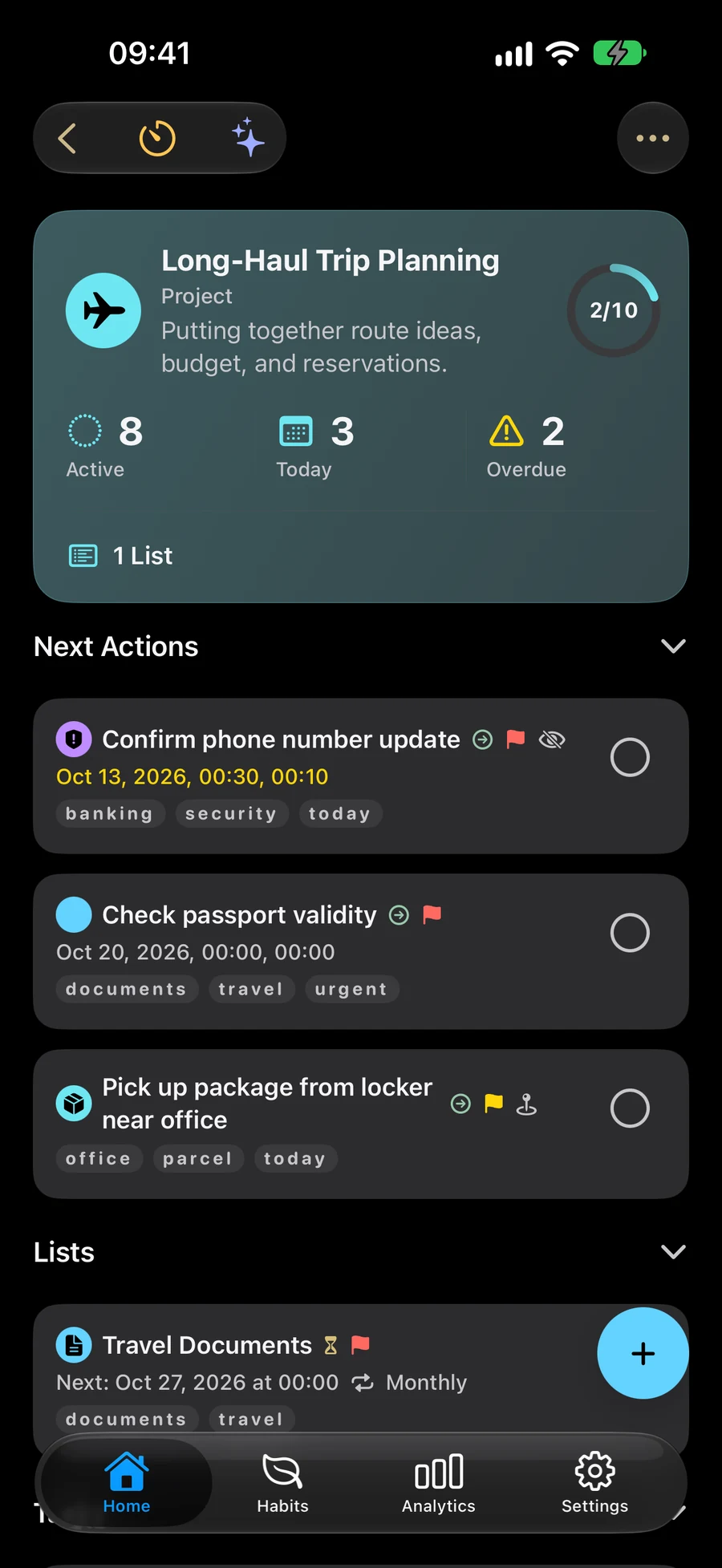
Create and move items with gestures
On touch devices, hold an empty part of the view to begin a task or list. Press and hold a sphere, then drag it to another to combine items or move one inside a container. Add the new item’s details in the editor, then save.
Keep your active Space in view
Big View shows the plans in your active Space. VoiceOver offers actions for opening, creating and combining items. Reduce Motion keeps the view still.
Choose the context with SpacesFind the Apple devices that support Big View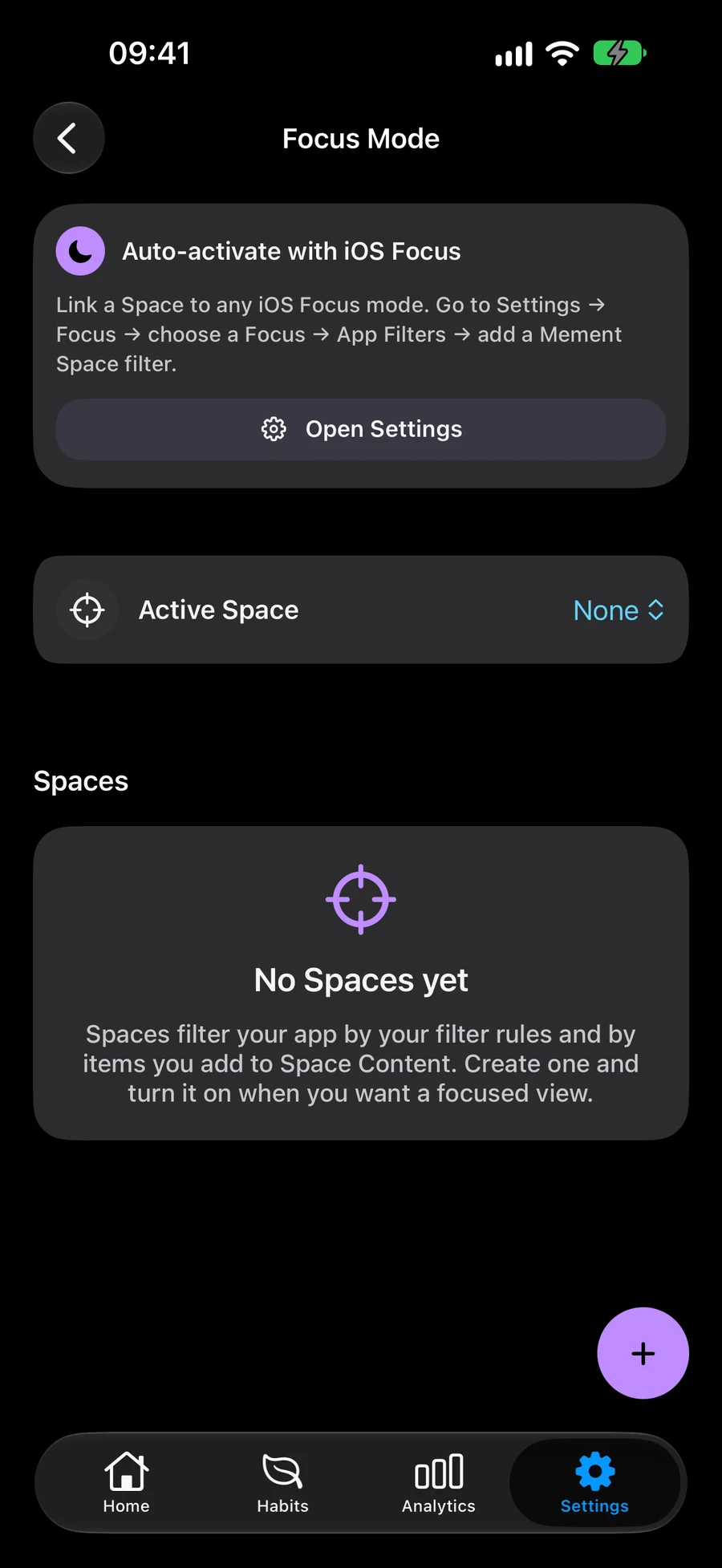
Continue exploring
Frequently asked questions
Does Big View use the same tasks as the rest of Mement?
Yes. Big View works with your saved tasks, lists, projects and areas. Changes you save here apply to those same items.
Where can I use Big View?
Open Big View from Home’s More menu on iPhone, iPad, Mac and Apple Vision Pro. On touch devices you can also pinch inward on Home. On Apple TV, Big View is Mement’s primary interface, with navigation and item actions adapted to the remote.
Open Big View in Mement
Browse your existing tasks, lists, projects and areas in a visual layout.
View on the App Store