Habit checklists and attachments
Give a repeated routine its own action list and keep the files, photos and links you need with it.
View on the App StoreMement 2.0.2 · Last reviewed:
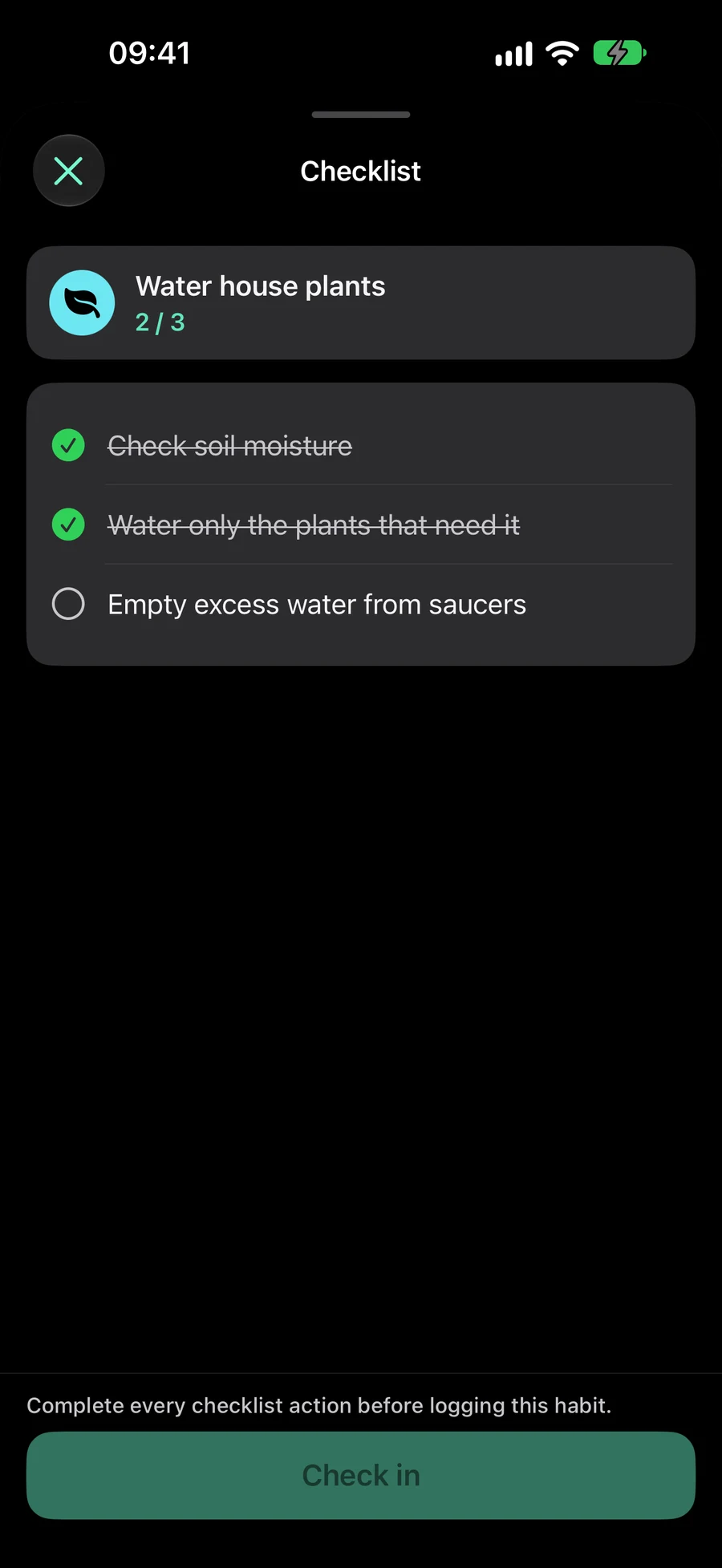
A checklist keeps the steps of one Habit together without creating separate Tasks. Work through the actions in order, see what remains and then record a check-in, count, duration or quantity. Checkmarks start again with the Habit’s next goal period.
Attach a practice plan, reference photo or web instructions and open them from Habit details. Today, widgets, Sessions and Shortcuts follow the same checklist and progress rules, so you can return to the routine from the entry point that suits you. Tasks, Lists, Projects, Areas and Habits support files, photos and links. In item editors, Attach becomes Attached with previews; removal sits beside each row. Location is below the materials, with a small map and an optional full-screen view. Open materials from the editor or the record’s details. In “Attach”, tap “Arrive” or “Leave” in the location reminder title to choose when to be notified. “Arrive” is selected by default. Save keeps that choice; notification and location permissions still apply.